Define the expectation
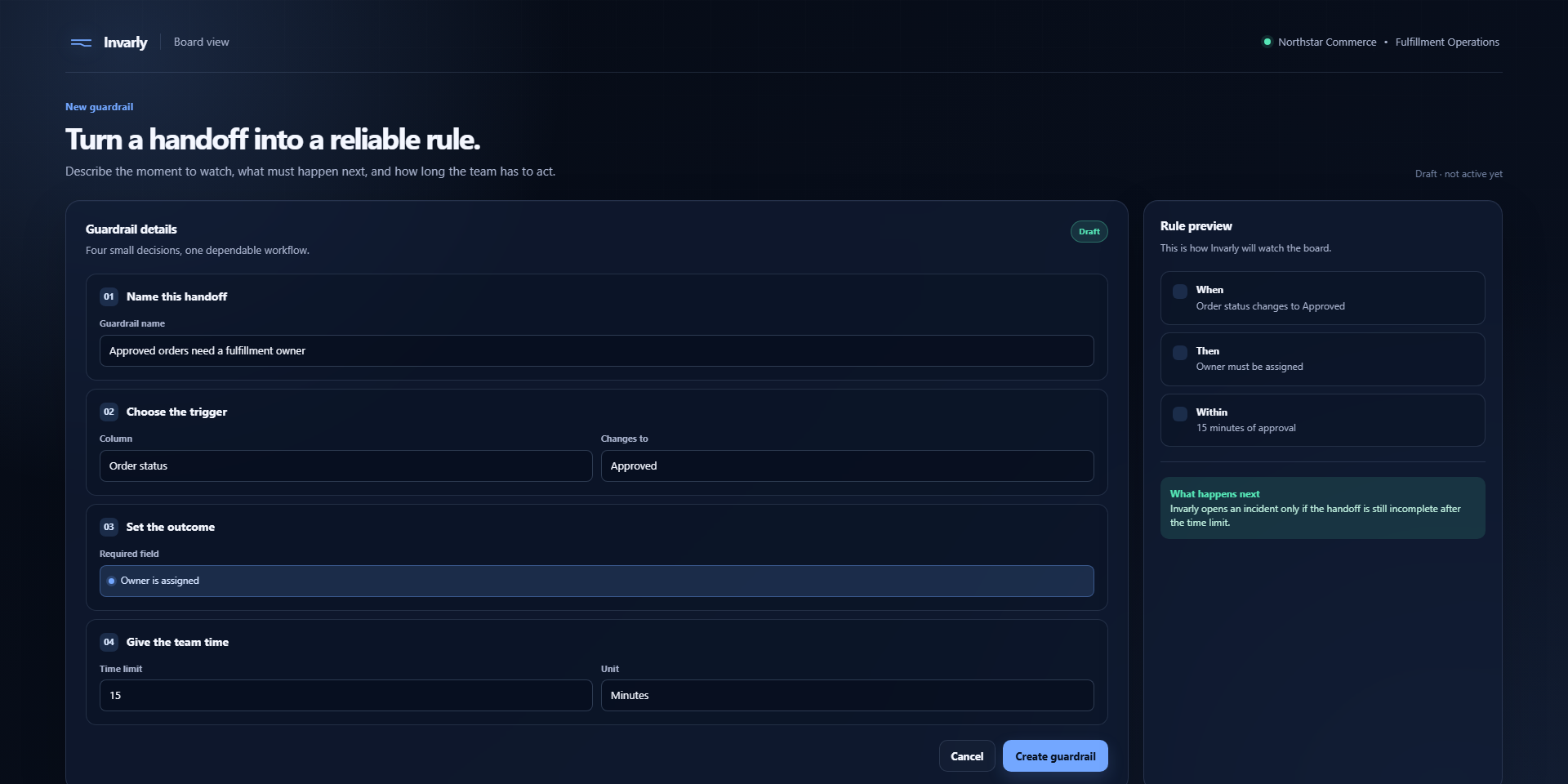
Describe the handoff your board needs to complete.
Outcome guardrails for monday.com
Catch missed handoffs and keep your monday.com workflows on track. Invarly watches the outcome you expect — not just whether an automation ran.
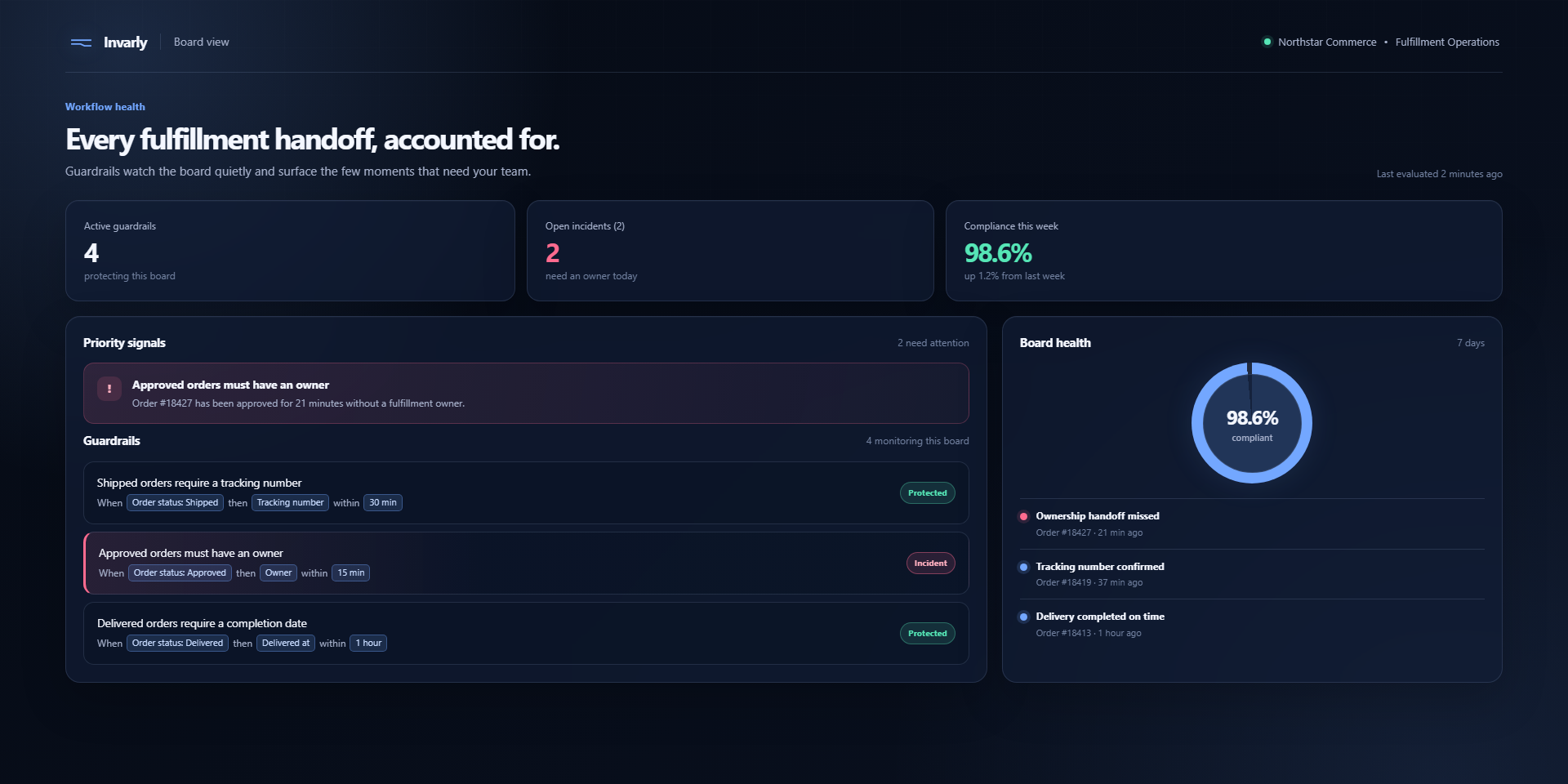
The missing layer
Run history tells you an automation executed. Timing tools tell you how long it took. Neither tells you whether the item reached the state your team expected.
How it works
Describe the handoff your board needs to complete.
Invarly compares the expected state with what happens next.
Track a violation until the workflow returns to the expected state.
Resolution
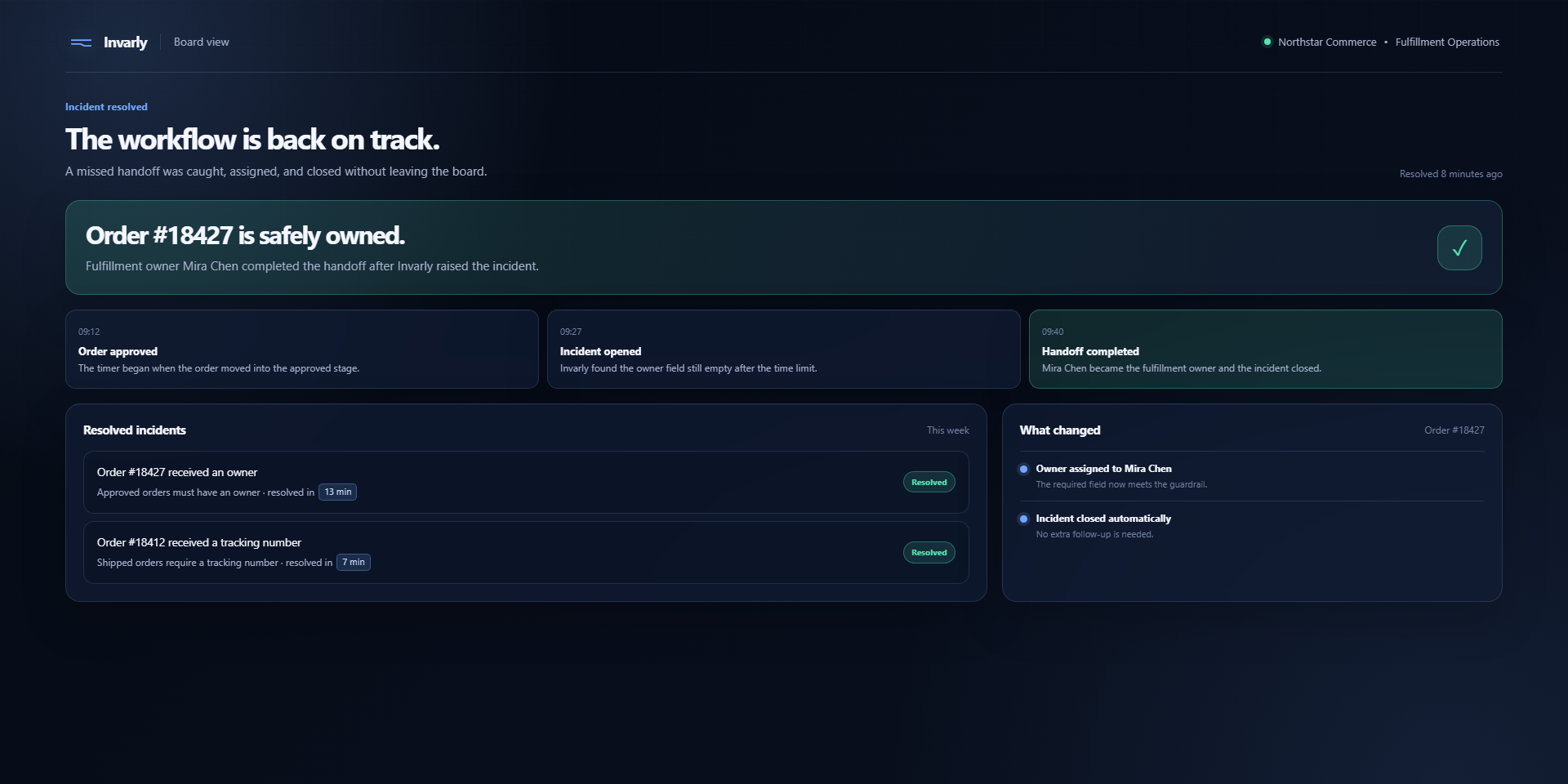
When the expected result is missed, Invarly records a violation for the team to investigate. When the workflow recovers, the incident shows that resolution — without claiming to fix the board for you.
Talk to us about your workflow →Pricing
One organization price, with no per-seat calculation. Find Invarly in the monday.com marketplace.
Invarly
$19/ month, per organization
FAQ
Invarly watches expected workflow outcomes you define as guardrails and records when they are missed or later resolved.
No. Guardrails observe the outcome of your workflow; they do not rebuild or automatically correct your board.
The offer is priced per organization, so the relevant people in your team can work from the same view.
Find Invarly in the monday.com marketplace and follow the installation flow for your account.
Keep the workflow moving
Start with the outcome that matters most to your board.
Get Invarly for monday.com